⚡ Fast Delivery | Vector Files Ready to Use

Belgium 2026 World Cup Away Font | TTF OTF AI CDR PDF
$5.00
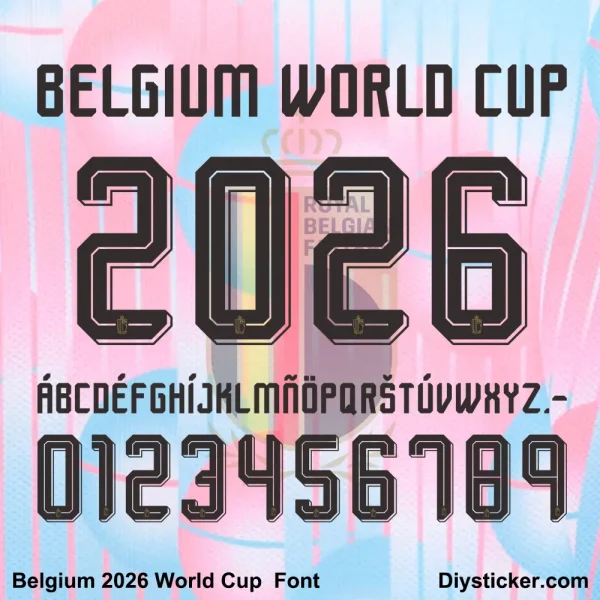
Download Belgium 2026 World Cup Away Font in 5 formats: TTF, OTF, AI, CDR, and PDF. Inspired by Belgian Red Devils typography. Perfect for custom jerseys, fan art, and stickers. Instant digital download.
Belgium 2026 World Cup Away Font – Complete Vector Set
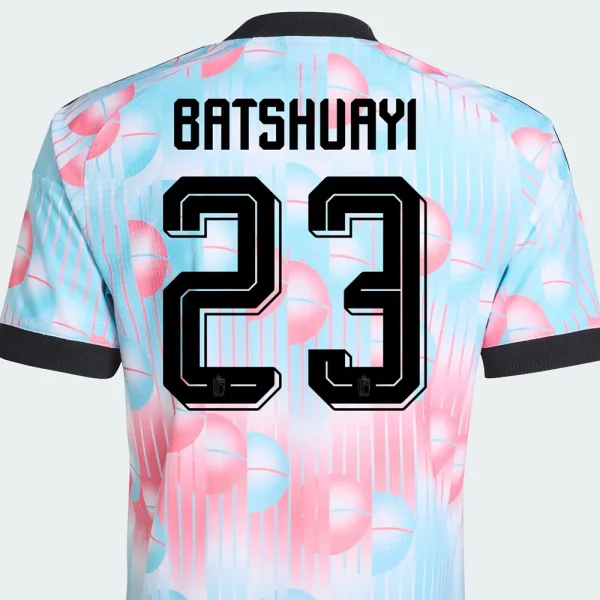
Celebrate the golden generation of Belgian football with the Belgium 2026 World Cup Away Font. This digital typeface is inspired by the sleek, modern typography associated with Belgium’s away kit aesthetic for the 2026 FIFA World Cup, co-hosted by the USA, Canada, and Mexico.
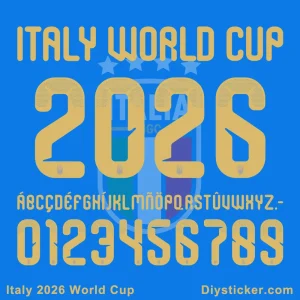
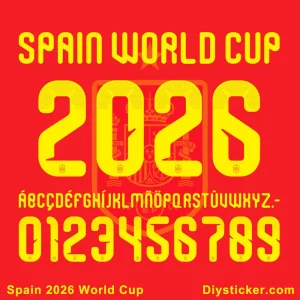
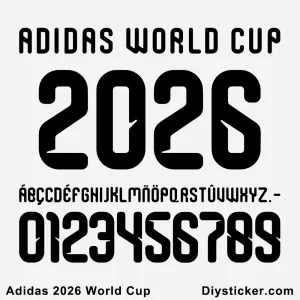
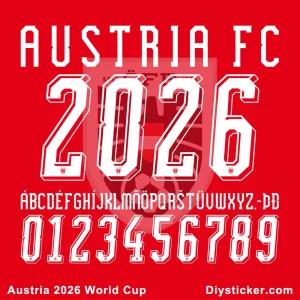
The Belgian Red Devils have established themselves as a global football powerhouse with their technical brilliance and attacking flair. This font captures that same energy – bold, confident, and contemporary. The preview features “BELGIUM WORLD CUP” followed by the year 2026 in a striking layout, making it instantly recognizable for any Belgian football project.
What’s Included in Your Download
-
TTF (TrueType Font) – for Windows and Mac
-
OTF (OpenType Font) – advanced typography features
-
AI (Adobe Illustrator) – fully editable vector
-
CDR (CorelDRAW) – native vector format
-
PDF (Portable Document Format) – high-res print ready
Key Features
-
Uppercase A–Z, numbers 0–9, and period
-
Clean, modern, and athletic letterforms
-
Bold away-kit inspired typography
-
Scalable vector files – no quality loss
-
Instant digital download after purchase
-
Compatible with Photoshop, Illustrator, CorelDRAW, Inkscape, and more
Perfect For
-
Custom football jerseys and name sets (away kit style)
-
World Cup 2026 party invitations and decorations
-
Belgium Red Devils fan merchandise
-
YouTube thumbnails, Twitch overlays, and esports graphics
-
T-shirt printing and vinyl cutting
-
DIY sticker projects (as seen on Diysticker.com)
File Usage Tips
-
Use TTF/OTF for word processing and basic design software
-
Use AI/PDF for professional vector editing and scaling
-
Use CDR for CorelDRAW users who need native layers
Note: This is a digital product. No physical item will be shipped. Font style is inspired by Belgian football away kit aesthetics; not an official FIFA product.
Internal Link: Exploring more national teams? Check out our Portugal 2026 World Cup Away Font or browse the full World Cup 2026 Font Collection.
Nature of Digital Products
Due to the nature of digital goods (fonts and vector files), products are deemed “used” after download or opening. Therefore, all sales are final and non-refundable once the download link has been accessed.
By completing your purchase on PlayerFont.com, you acknowledge and agree to this policy.
Download Guide & Technical Support
How to Access Your Downloads
Once your payment is successfully processed, there are three ways to get your files:
- Instant Download: You will be automatically redirected to the “Order Received” page. Click the file name under the Download column to start saving.
- Email Confirmation: An automated email containing your download links will be sent to your registered email address. (Please check your Junk/Spam folder if you don’t see it).
- My Account: You can log in to your Account at any time, navigate to Downloads, and re-download any of your previous purchases.
Understanding Our File Formats
We provide professional-grade files to ensure the highest quality for your kits:
- Font Files (.TTF / .OTF):
- Standard installable fonts for Windows and Mac.
- Best for typing names and numbers in software like Word, Photoshop, or Illustrator.
- Vector Files (.CDR / .AI / .PDF):
- High-fidelity graphics that can be scaled to any size without losing quality.
- Includes full alphabet/number sets and intricate club logo details.
- Requires design software such as CorelDraw, Adobe Illustrator, or Photoshop.
How to Install & Use
- Installing Fonts: Right-click the
.ttfor.otffile and select “Install” (Windows) or double-click and select “Install Font” (Mac). - Opening Vectors: Right-click the
.cdror.aifile and choose “Open With” your preferred design software. - Note: If files are delivered in a
.ZIPor.RARfolder, please extract them using WinRAR or 7-Zip before attempting to install.
How to Request Assistance
If you encounter any problems with your order, please contact us immediately after purchase, and we will reply within 24 hours:
- Email: [email protected]
- Required Info: Please include your Order ID and a detailed description (or screenshot) of the issue.
Only logged in customers who have purchased this product may leave a review.
Reviews
There are no reviews yet.