⚡ Fast Delivery | Vector Files Ready to Use

FC St. Pauli 2026-2027 Font Download (TTF, OTF, Vector)
$5.00
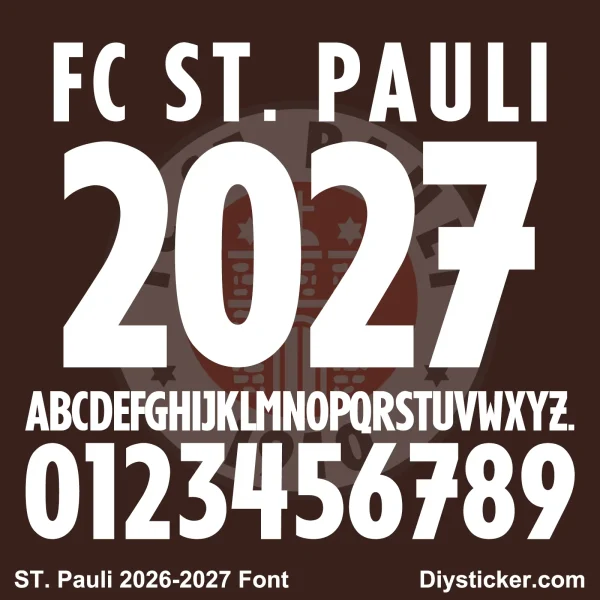
Capture the rebellious, iconic spirit of Hamburg football with this premium digital typography toolkit. This asset contains the official-style FC St. Pauli 2026-2027 font and numbers, meticulously tailored for the 2026-2027 season. Formatted specifically for independent apparel designers, custom uniform printers, and vinyl cutting shops, this product is delivered instantly via an automated download link immediately following your purchase.
-
Standard Desktop Fonts: Includes
.TTFand.OTFfiles for quick system-wide installation. -
Fully Scalable Vector Assets: Includes production-ready
.AI,.CDR, and.PDFdocuments. -
Production Engineered: Optimized for wide-format sublimation systems, laser cutting machinery, and heat transfer vinyl (HTV) plotters.
FC St. Pauli 2026-2027 Font & Numbers Vector Kit: The Ultimate Bundesliga Printing Asset
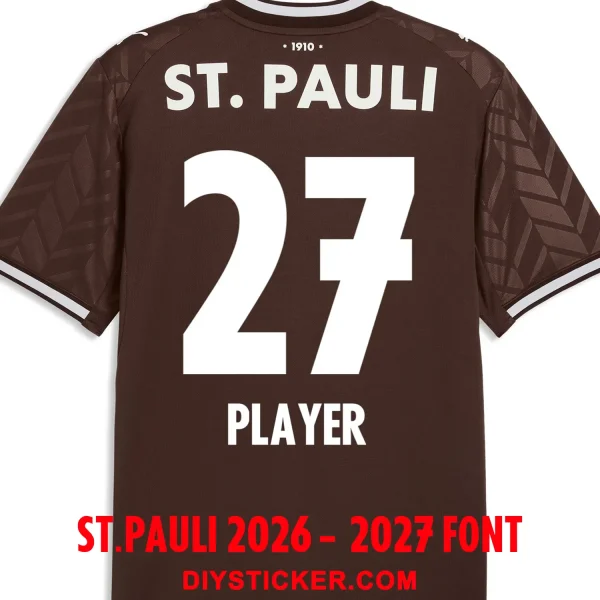
Bring authentic German football styling into your apparel production line with our high-grade FC St. Pauli 2026-2027 font and numeric vector pack. This digital kit mirrors the precise typography design utilized on the pitch by the Kiezkicker for their domestic campaigns. Whether you are fulfilling a high-volume team apparel order or creating single custom name-sets for fans, these files guarantee factory-accurate lines. Expand your typography workspace by browsing our complete selection in the Club fonts section.
Design Language & Typographic Geometry
The FC St. Pauli 2026-2027 font features a distinct, high-impact athletic style that matches the club’s raw visual identity. Key design highlights include:
-
Compressed Tall San-Serif Geometry: The letters and numbers utilize a narrow, vertically elongated structure that maximizes space on the back of the jersey while remaining highly legible from a distance.
-
Solid Monolithic Fills: Designed with flat, block-solid fills without extra inner lines, establishing an ultra-clean profile that pairs perfectly with both classic and modern kit textures.
-
Asymmetrical Structural Cuts: Distinctive horizontal crossbars and angled terminal endings provide a modern, edgy, and customized look that sets this kit apart from standard varsity typography.
Technical File Dissection & Compatibility Breakdown
Engineered to streamline workflows for graphic designers and industrial garment factories alike, this download is segmented into specific operational layers:
1. Native TrueType (.TTF) & OpenType (.OTF) Layouts
Transform your computer’s default typography choices by installing the FC St. Pauli 2026-2027 font directly to your Windows or macOS environment. Type text seamlessly inside software like Adobe Photoshop, Illustrator, InDesign, Premiere Pro, and CorelDRAW.
2. Lossless Scalable Vector Files (.AI & .PDF)
Our high-resolution .AI and multi-page vector .PDF graphics give you infinite scaling freedom. Because these elements are built on mathematical stroke coordinates rather than static pixels, you can resize the characters for a tiny sleeve print or a massive stadium banner without losing crispness.
3. Anchor-Optimized CorelDRAW (.CDR) Vectors for Plotters
A critical resource for commercial vinyl lettering operations, the native .CDR document features clean vector paths and minimal anchor nodes. With closed vector loops, your plotting blades can cut through heat transfer vinyl smoothly, minimizing machine stuttering and accelerating your peeling and weeding times.
Equip your custom uniform workshop for the 2026/27 European football campaign by integrating this high-performance German football font asset into your digital library.
FAQ Section
Q1: What exactly is included in this purchase? A: This is a digital product consisting of the FC St. Pauli 2026-2027 font and number layout files across standard formats (.TTF, .OTF, .AI, .CDR, .PDF). No physical product or jersey will be shipped to your address.
Q2: Are these vector graphics optimized for plotting software and vinyl cutting? A: Yes, absolutely. The .AI, .CDR, and .PDF vector paths are built with clean lines and fully closed loops. They import seamlessly into plotting software for Roland, Graphtec, Silhouette, and Cricut cutting systems.
Q3: How long after processing my secure checkout payment will I receive the files? A: There is no delay. Our WooCommerce backend is automated to grant instant access. As soon as your transaction is finalized, a download window appears on your screen, and an automated backup email is dispatched to your inbox.
Keep up with the latest official kit reveals and club news over on the official St. Pauli Webstie.
Nature of Digital Products
Due to the nature of digital goods (fonts and vector files), products are deemed “used” after download or opening. Therefore, all sales are final and non-refundable once the download link has been accessed.
By completing your purchase on PlayerFont.com, you acknowledge and agree to this policy.
Download Guide & Technical Support
How to Access Your Downloads
Once your payment is successfully processed, there are three ways to get your files:
- Instant Download: You will be automatically redirected to the “Order Received” page. Click the file name under the Download column to start saving.
- Email Confirmation: An automated email containing your download links will be sent to your registered email address. (Please check your Junk/Spam folder if you don’t see it).
- My Account: You can log in to your Account at any time, navigate to Downloads, and re-download any of your previous purchases.
Understanding Our File Formats
We provide professional-grade files to ensure the highest quality for your kits:
- Font Files (.TTF / .OTF):
- Standard installable fonts for Windows and Mac.
- Best for typing names and numbers in software like Word, Photoshop, or Illustrator.
- Vector Files (.CDR / .AI / .PDF):
- High-fidelity graphics that can be scaled to any size without losing quality.
- Includes full alphabet/number sets and intricate club logo details.
- Requires design software such as CorelDraw, Adobe Illustrator, or Photoshop.
How to Install & Use
- Installing Fonts: Right-click the
.ttfor.otffile and select “Install” (Windows) or double-click and select “Install Font” (Mac). - Opening Vectors: Right-click the
.cdror.aifile and choose “Open With” your preferred design software. - Note: If files are delivered in a
.ZIPor.RARfolder, please extract them using WinRAR or 7-Zip before attempting to install.
How to Request Assistance
If you encounter any problems with your order, please contact us immediately after purchase, and we will reply within 24 hours:
- Email: [email protected]
- Required Info: Please include your Order ID and a detailed description (or screenshot) of the issue.
Only logged in customers who have purchased this product may leave a review.
Related products
-
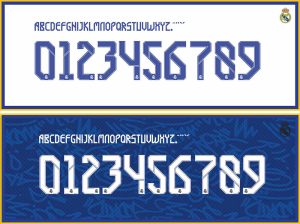
Real Madrid 21-22 Kit Font & Vector
Price range: $3.50 through $5.00Select options This product has multiple variants. The options may be chosen on the product page -
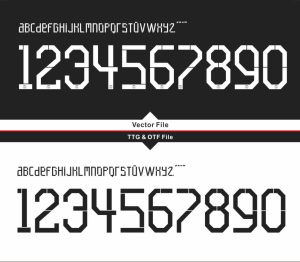
Paris Saint-Germain PSG 21-22 Third Kit Font & Vector
Price range: $3.00 through $5.00Select options This product has multiple variants. The options may be chosen on the product page -
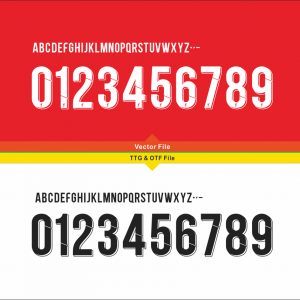
Liverpool FC UCL 2018-2022 Kit Font & Vector
Price range: $3.50 through $5.00Select options This product has multiple variants. The options may be chosen on the product page -
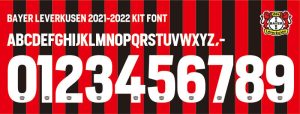
Bayer Leverkusen 2021-2022 kit Font Vector
$5.00
Reviews
There are no reviews yet.